最近一邊想著畢業論文要寫什麼,一邊想著先做點有趣的東西~因為最近偶爾會看一下 YouTube 上烤肉 man 們剪輯的 hololive 的精華,所以暫且想要做個 NLP 相關的項目!不過倒不是自動翻譯這樣的功能,但具體是什麼自己還沒有完全想好(心裡有幾個點子,但是先寫出來又做不出來的話就太丟人了www),AAAAAAA~

那就總之先做一個抓取 YouTube Live Chat 的程式好了~其實小糾結了一下用什麼語言最方便,畢竟是抓取內容,而不是用 YouTube 官方的 API,所以也許 Python 是一個還不錯的選擇。
在寫這個工具的時候(2020 年 12 月 19 日,後文中的「目前」均指此日期),YouTube 上 Live Chat 回放的 API 是 https://www.youtube.com/live_chat_replay. 不過正如上面提到的,這個工具是直接爬取 Live Chat 的內容的,所以當你看到這篇博文的時候,很有可能 YouTube 已經更改了 API 或者內部的資料結構。
目前這個 API 非常簡單,首先在需要爬取直播的存檔頁面,在該頁面上會有如下的 JavaScript 程式碼
...
viewSelector: {
    sortFilterSubMenuRenderer: {
        subMenuItems: [
            {
                title: "Top chat replay",
                selected: true,
                continuation: {
                    reloadContinuationData: {
                        continuation: "op2w0wR0GmxDamdhRFFvTFJUZERVbTEyZWtJM2JEUXFKd29ZVlVOdlUzSlpYMGxSVVZad2JVbFNXamxZWmkxNU9UTm5FZ3RGTjBOU2JYWjZRamRzTkJvVDZxamR1UUVOQ2d0Rk4wTlNiWFo2UWpkc05DQUJAAXICCAQ%3D",
                        clickTrackingParams: "CDAQxqYCIhMI7vzussvY7QIVHhwGAB3s3wI5",
                    },
                },
                accessibility: { accessibilityData: { label: "Top chat replay" } },
                subtitle: "Some messages, such as potential spam, may not be visible",
            },
            {
                title: "Live chat replay",
                selected: false,
                continuation: {
                    reloadContinuationData: {
                        continuation: "op2w0wR0GmxDamdhRFFvTFJUZERVbTEyZWtJM2JEUXFKd29ZVlVOdlUzSlpYMGxSVVZad2JVbFNXamxZWmkxNU9UTm5FZ3RGTjBOU2JYWjZRamRzTkJvVDZxamR1UUVOQ2d0Rk4wTlNiWFo2UWpkc05DQUJAAXICCAE%3D",
                        clickTrackingParams: "CC8QxqYCIhMI7vzussvY7QIVHhwGAB3s3wI5",
                    },
                },
                accessibility: { accessibilityData: { label: "Live chat replay" } },
                subtitle: "All messages are visible",
            },
        ],
        accessibility: { accessibilityData: { label: "Live Chat mode selection" } },
        trackingParams: "CC4QgdoEIhMI7vzussvY7QIVHhwGAB3s3wI5",
    },
},
...
可以看到回放時 Google 其實有默認做一些 spam 的清理,不過為了拿到所有資料,這邊我在程式裡會使用「Live Chat Replay」的那個。這其中我們最關心的一個參數就是「continuation」,其實就是相當於分片這樣子,在回放的時候按需載入 Live Chat 資料。
在有了第一個 「continuation」參數之後,就可以通過 https://www.youtube.com/live_chat_replay/continuation=${continuation} 去獲取 Live Chat 的資料了;在傳回的頁面中,也會附帶上下一個切片對應的「continuation」參數
"continuationContents": {
    "liveChatContinuation": {
        "continuations": [{
            "liveChatReplayContinuationData": {
                "timeUntilLastMessageMsec": 5000,
                "continuation": "op2w0wSFARpsQ2pnYURRb0xSVGREVW0xMmVrSTNiRFFxSndvWVZVTnZVM0paWDBsUlVWWndiVWxTV2psWVppMTVPVE5uRWd0Rk4wTlNiWFo2UWpkc05Cb1Q2cWpkdVFFTkNndEZOME5TYlhaNlFqZHNOQ0FCKMyJpAYwADgAQABIA1ICIAByAggBeAA%3D",
                "clickTrackingParams": "CAEQl98BIhMIi-X189jY7QIVzBjxBR2TBA_X"
            }
        },
        ...
這樣子的話,我們就只需要循環進行這個爬取的過程,就可以拿到所有的「continuation」參數,進而也就完成了整個 Live Chat 的爬取。
同時,在返回的頁面中還會有一個 script 標籤,其中聲明了這樣一個變數 window["ytInitialData"]
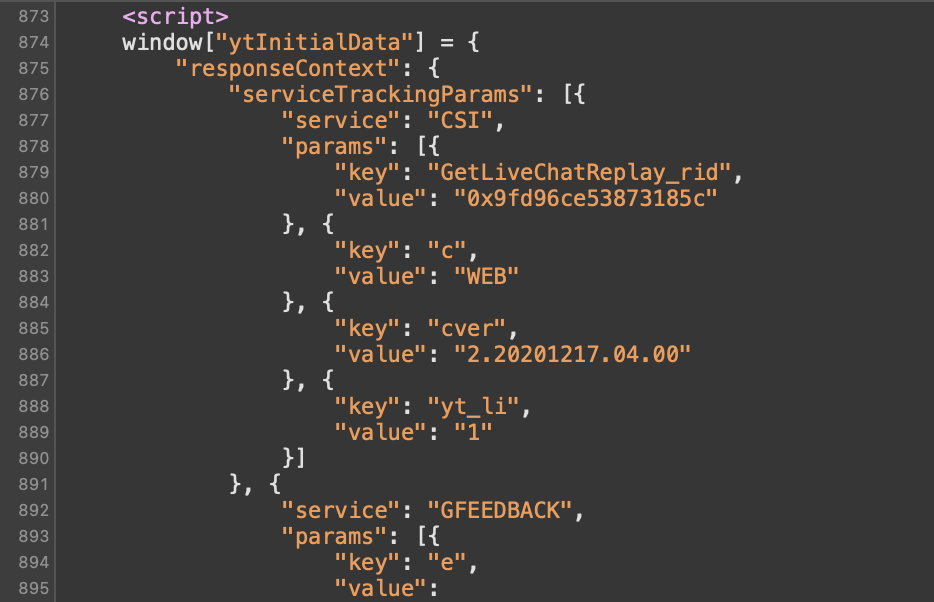
在該變數中,我們可以找到類似如下的 JSON 字串,
...,
{
    "clickTrackingParams": "CAEQl98BIhMIi-X189jY7QIVzBjxBR2TBA_X",
    "replayChatItemAction": {
        "actions": [{
            "clickTrackingParams": "CAEQl98BIhMIi-X189jY7QIVzBjxBR2TBA_X",
            "addChatItemAction": {
                "item": {
                    "liveChatTextMessageRenderer": {
                        "message": {
                            "runs": [{
                                "text": "Gura you my wife"
                            }, {
                                "emoji": {
                                    "emojiId": "UCoSrY_IQQVpmIRZ9Xf-y93g/1wyJX8HwDMu68wTNxJO4DQ",
                                    "shortcuts": [":_GuraAA:", ":GuraAA:"],
                                    "searchTerms": ["_GuraAA", "GuraAA"],
                                    "image": {
                                        "thumbnails": [{
                                            "url": "https://yt3.ggpht.com/PDXhUcNSLLKnCeNlezzFuSvLs39aiTuVju40B41WbV-Geqcfbx6dhmYRwTaQSZ-d_zYCB6zPlA=w24-h24-c-k-nd",
                                            "width": 24,
                                            "height": 24
                                        }, {
                                            "url": "https://yt3.ggpht.com/PDXhUcNSLLKnCeNlezzFuSvLs39aiTuVju40B41WbV-Geqcfbx6dhmYRwTaQSZ-d_zYCB6zPlA=w48-h48-c-k-nd",
                                            "width": 48,
                                            "height": 48
                                        }],
                                        "accessibility": {
                                            "accessibilityData": {
                                                "label": "GuraAA"
                                            }
                                        }
                                    },
                                    "isCustomEmoji": true
                                }
                            }],
                            ...
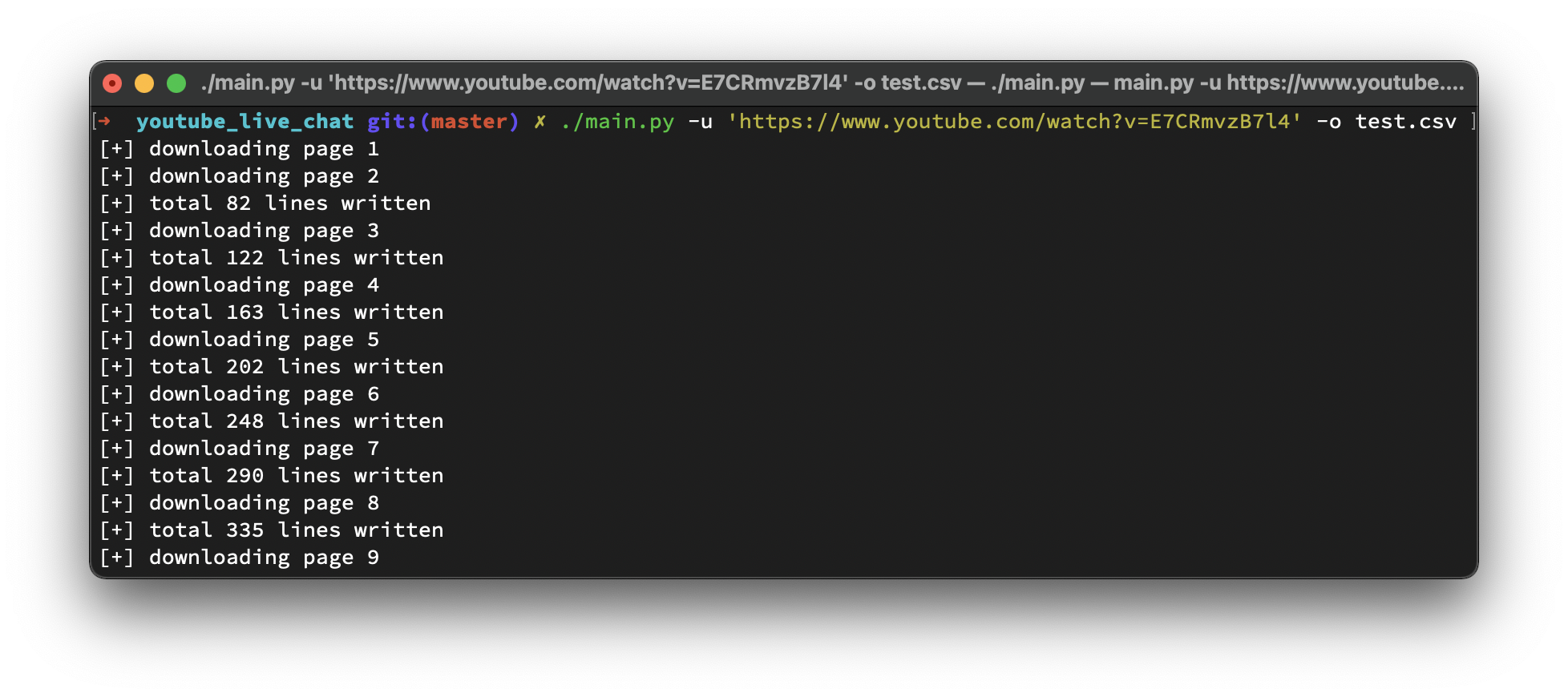
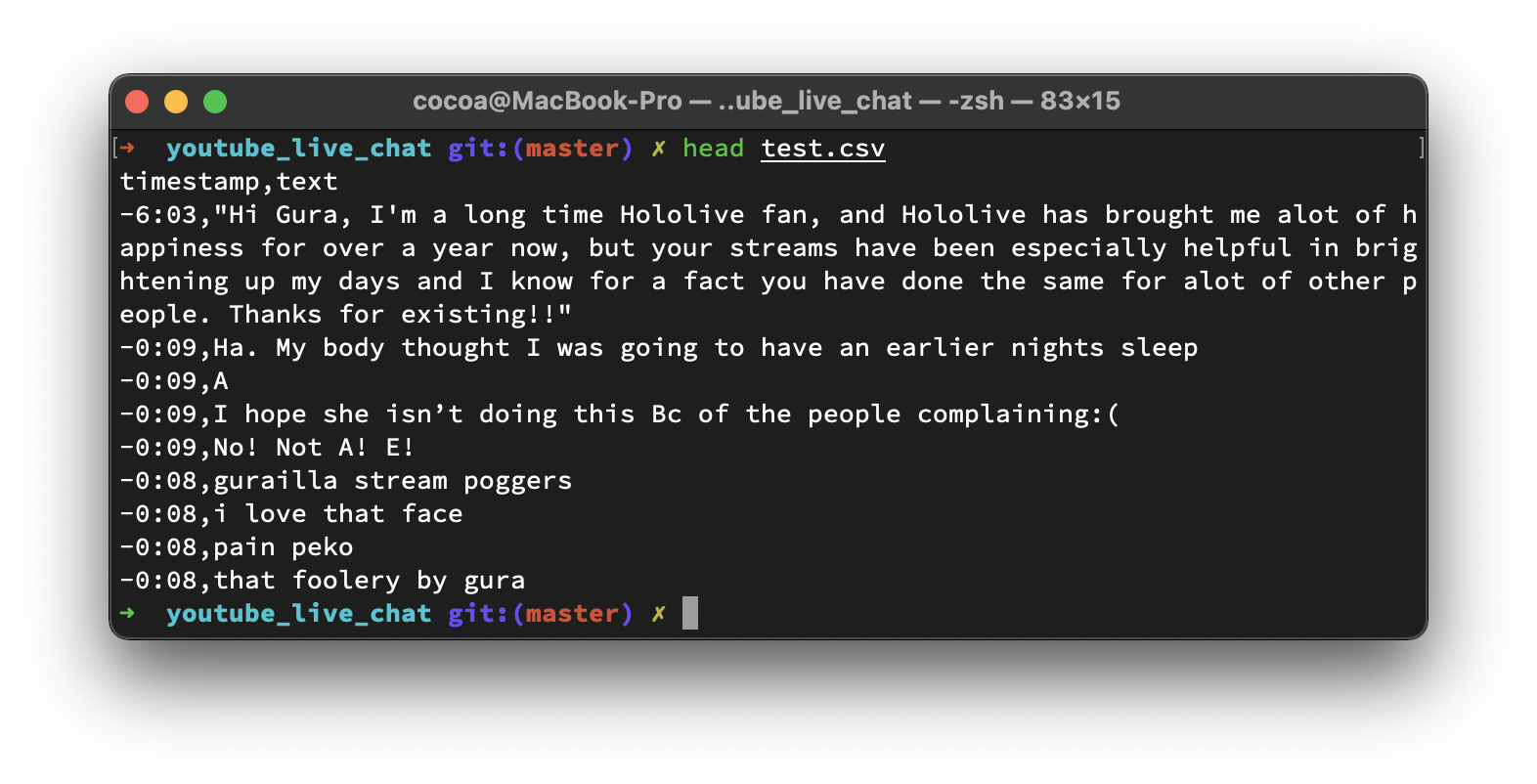
於是只需要把相應的部分提取出來即可~
CSV 的樣子~
https://github.com/BlueCocoa/YouTubeLiveChat
#!/usr/bin/python3
# -*- coding: utf-8 -*-

import argparse
import csv
import json
import re
import time
from urllib import request

CONTINUATION = re.compile(r'Live chat replay"(?:.*?)continuation":"(.*?)"', re.MULTILINE)
LIVECHATREPLAYCONTINUATIONDATA = re.compile(r'liveChatReplayContinuationData"(?:.*?)continuation":"(.*?)"',
                                            re.MULTILINE)


class YouTubeLiveChatMessage(object):
    def __init__(self, content, is_paid):
        self.content = content
        self.is_paid = is_paid

    def text(self):
        if 'message' in self.content:
            msgComponents = self.content['message']['runs']
            texts = []
            for msg in msgComponents:
                if 'text' in msg:
                    texts.append(msg['text'])
            return " ".join(texts)
        else:
            return ""

    def timestamp(self):
        return self.content['timestampText']['simpleText']


class YouTubeLiveChat(object):
    def __init__(self, url: str, quiet=False):
        """Constructor
        @param url: str, full YouTube URL
        @param quiet: bool, supprese output
        """
        self.url = url
        self.quiet = quiet

    def parseYtInitialData(self, data):
        """Parse window["ytInitialData"]
        @param data, JSON Object
        @return msgs, list[YouTubeLiveChatMessage]
        """
        msgs = []
        if 'continuationContents' not in data:
            return msgs

        actionArray = data['continuationContents']['liveChatContinuation']['actions']
        for ac in actionArray:
            subactionArray = ac['replayChatItemAction']['actions']
            for sac in subactionArray:
                if 'addChatItemAction' in sac:
                    item = sac['addChatItemAction']['item']
                    if 'liveChatPaidMessageRenderer' in item:
                        msgs.append(YouTubeLiveChatMessage(item['liveChatPaidMessageRenderer'], True))
                    elif 'liveChatTextMessageRenderer' in item:
                        msgs.append(YouTubeLiveChatMessage(item['liveChatTextMessageRenderer'], True))
        return msgs

    def downloadAll(self, msg_callback, sleep_interval=1,
                    user_agent='Mozilla/5.0 (Macintosh; Intel Mac OS X 10_15_6) AppleWebKit/605.1.15 (KHTML, like Gecko) Version/14.0.1 Safari/605.1.15'):
        """Download all live chat message
        @param msg_callback, callable, (msgs: list[YouTubeLiveChatMessage]) -> Any
        @param sleep_interval, int, interval between each fetch
        @param user_agent, str, user agent used in urllib request
        """
        nextURL = self.url
        count = 0
        while nextURL is not None:
            req = request.Request(nextURL, data=None, headers={'User-Agent': user_agent})
            with request.urlopen(req) as response:
                httpBody = response.read().decode('utf-8')
                matches = None
                if count == 0:
                    matches = CONTINUATION.findall(httpBody)
                else:
                    matches = LIVECHATREPLAYCONTINUATIONDATA.findall(httpBody)
                count += 1
                if len(matches) > 0:
                    nextURL = f"https://www.youtube.com/live_chat_replay?continuation={matches[0]}"
                    if not self.quiet:
                        print(f'[+] downloading page {count}')
                    time.sleep(sleep_interval)
                    if count > 1:
                        for line in httpBody.split("\n"):
                            line = line.strip()
                            if line.startswith('window["ytInitialData"]'):
                                jsonString = line[len('window["ytInitialData"] = '):-1]
                                data = json.loads(jsonString)
                                msg_callback(self.parseYtInitialData(data))
                else:
                    nextURL = None
                    if not self.quiet:
                        print("No more continuation param found")


def parsearg():
    parser = argparse.ArgumentParser()
    parser.add_argument("-u", "--url", type=str, help="Full YouTube URL")
    parser.add_argument("-o", "--output", type=str, help="Path to save live chats in CSV format")
    parser.add_argument("-q", "--quiet", action="store_true", help="Run quietly", default=False)
    return parser.parse_args()


if __name__ == '__main__':
    def dump_to_csv(save_to: str):
        csvfile = open(save_to, 'w', newline='')
        writer = csv.DictWriter(csvfile, quoting=csv.QUOTE_MINIMAL, fieldnames=['timestamp', 'text'])
        writer.writeheader()
        line_written = [0]

        def _dump(msgs: [YouTubeLiveChatMessage]):
            for m in msgs:
                text = m.text().strip()
                if len(text) > 0:
                    writer.writerow({'timestamp': m.timestamp(), 'text': text})
                    line_written[0] += 1
            if not args.quiet:
                print(f'[+] total {line_written[0]} lines written')

        return _dump


    liveChat = YouTubeLiveChat(args.url, args.quiet)
    liveChat.downloadAll(dump_to_csv(args.output))